Over-the-Air Player Updates
Roll out new player versions to 5%, 25%, then 100% of screens. Downloads are checksum-verified, and a release that crashes is paused fleet-wide automatically.
Mind Picked pairs a 24-widget CMS and a festival-ready Design Studio with a genuinely offline-first Android player. Describe a schedule in plain words, watch every screen from one dashboard, and pay one flat price per screen.
What's New
Everything below is live in the product today. Nothing new is paywalled — the flat per-screen price covers it all.
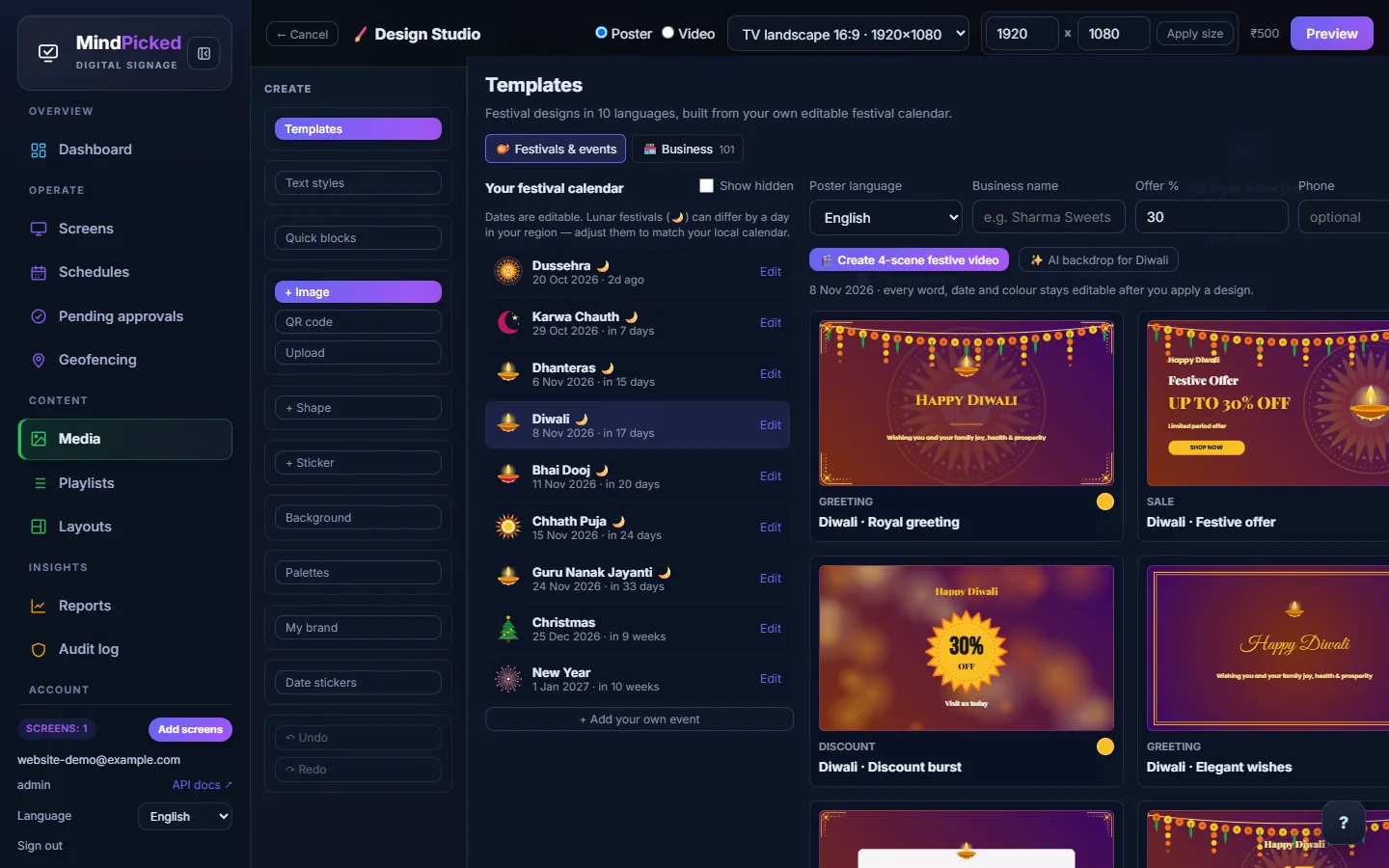
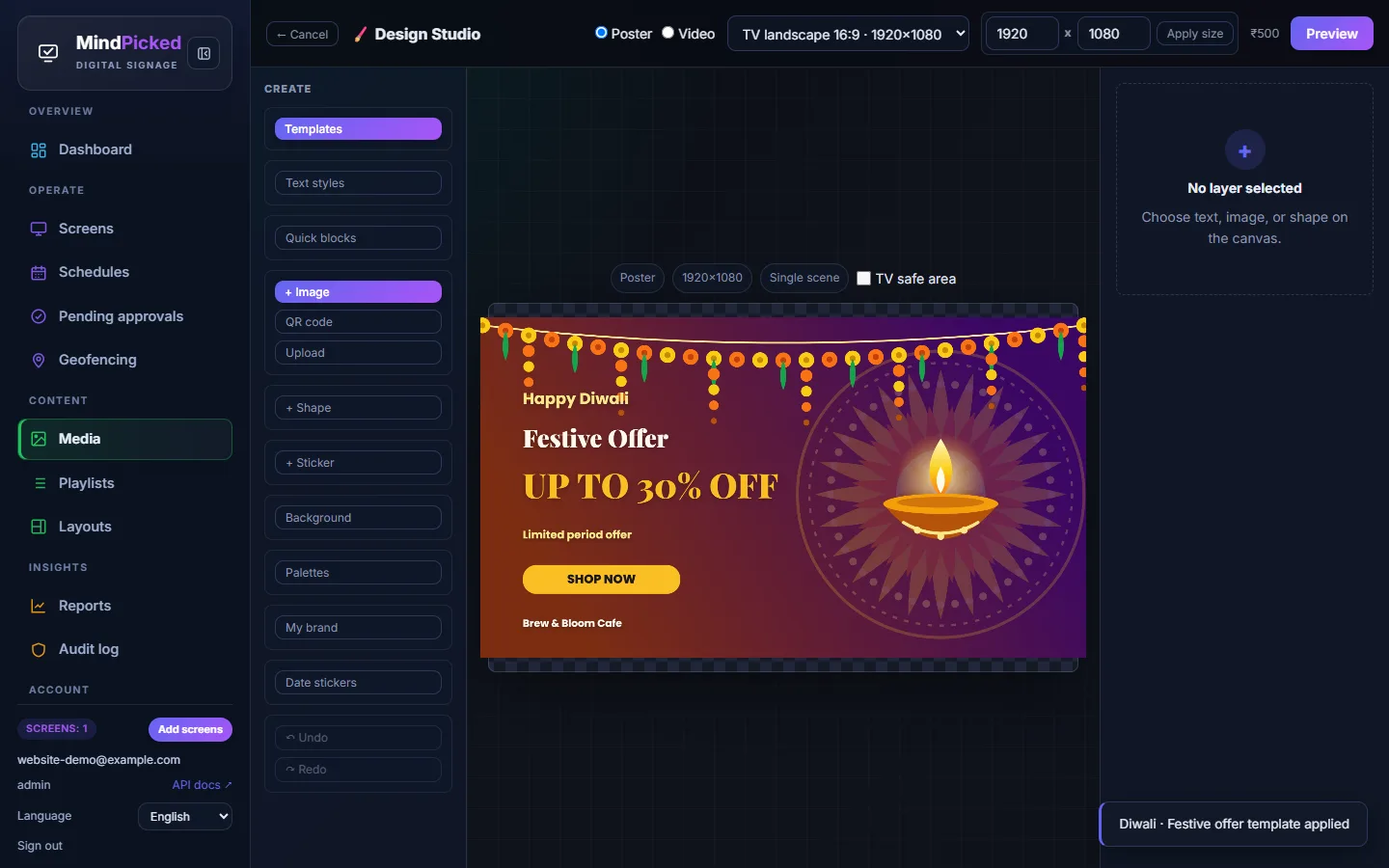
Pick a festival from your own editable calendar — Diwali, Eid, Christmas, Onam and dozens more — choose a ready-made design in one of 10 languages, add your shop name and offer, and publish. Every word, colour and date stays editable.
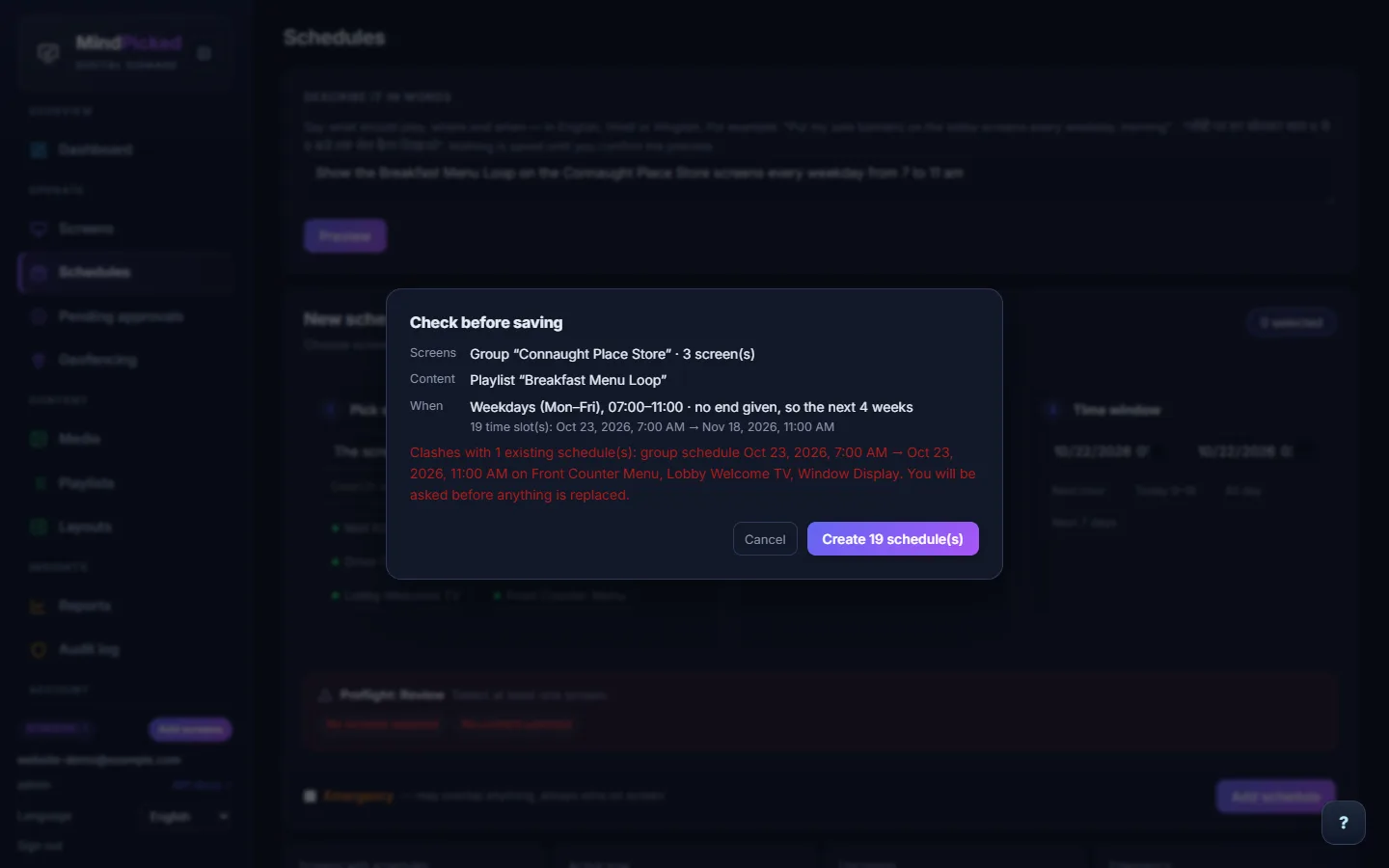
Write “show the breakfast menu on the Connaught Place screens every weekday from 7 to 11 am” — in English, Hindi or Hinglish. Mind Picked shows exactly which screens, content and time slots it will create, and flags any clash with an existing schedule before anything is saved.
Roll out new player versions to 5%, 25%, then 100% of screens. Downloads are checksum-verified, and a release that crashes is paused fleet-wide automatically.
Group screens by store, floor or city. Schedule a whole group at once, filter by tag, and assign playlists, reboot or screenshot in bulk.
Screens go dark at closing time and wake at opening — per screen or per group, with holidays — saving power and panel life.
Never downloads the same file twice, resumes broken downloads, and can limit big downloads to a night-time window or a daily mobile-data cap.
Show a scan-to-pay UPI QR on screen. Your billing counter can even push an exact-amount QR to the screen for each customer.
Edit prices and specials in a Google Sheet, CSV or JSON feed and they appear on screen as a table, menu or ticker — the last good copy keeps showing if the feed breaks.
Put Power BI, Looker Studio or Grafana dashboards on a wall screen, with auto-refresh, zoom, rotation and a watchdog that reloads a frozen page.
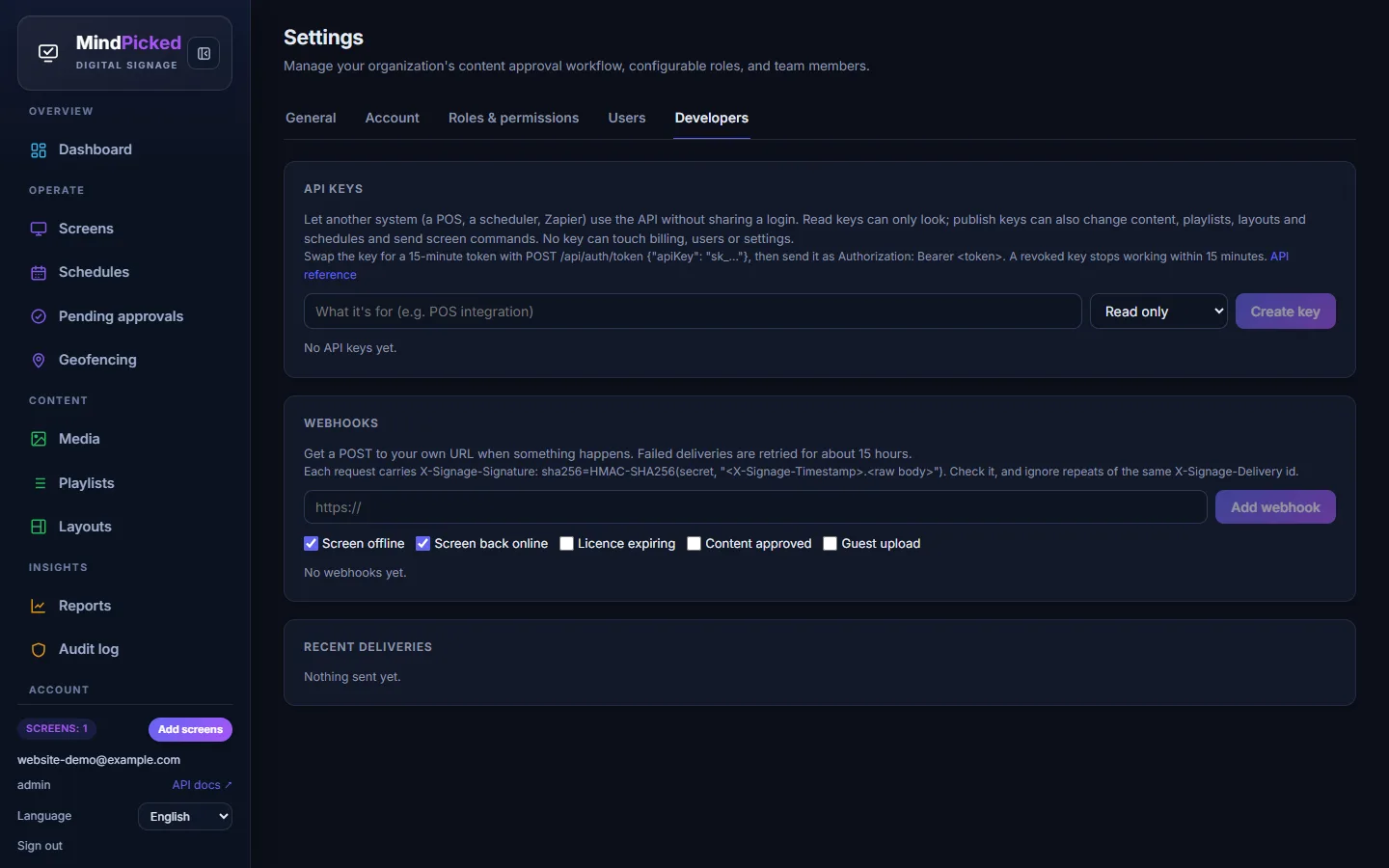
Read-only or publish API keys for your POS or Zapier, plus signed webhooks when a screen goes offline, a licence is expiring or a guest uploads.
Search your media library for words printed inside images — find last year's “Diwali sale” poster without remembering its file name.
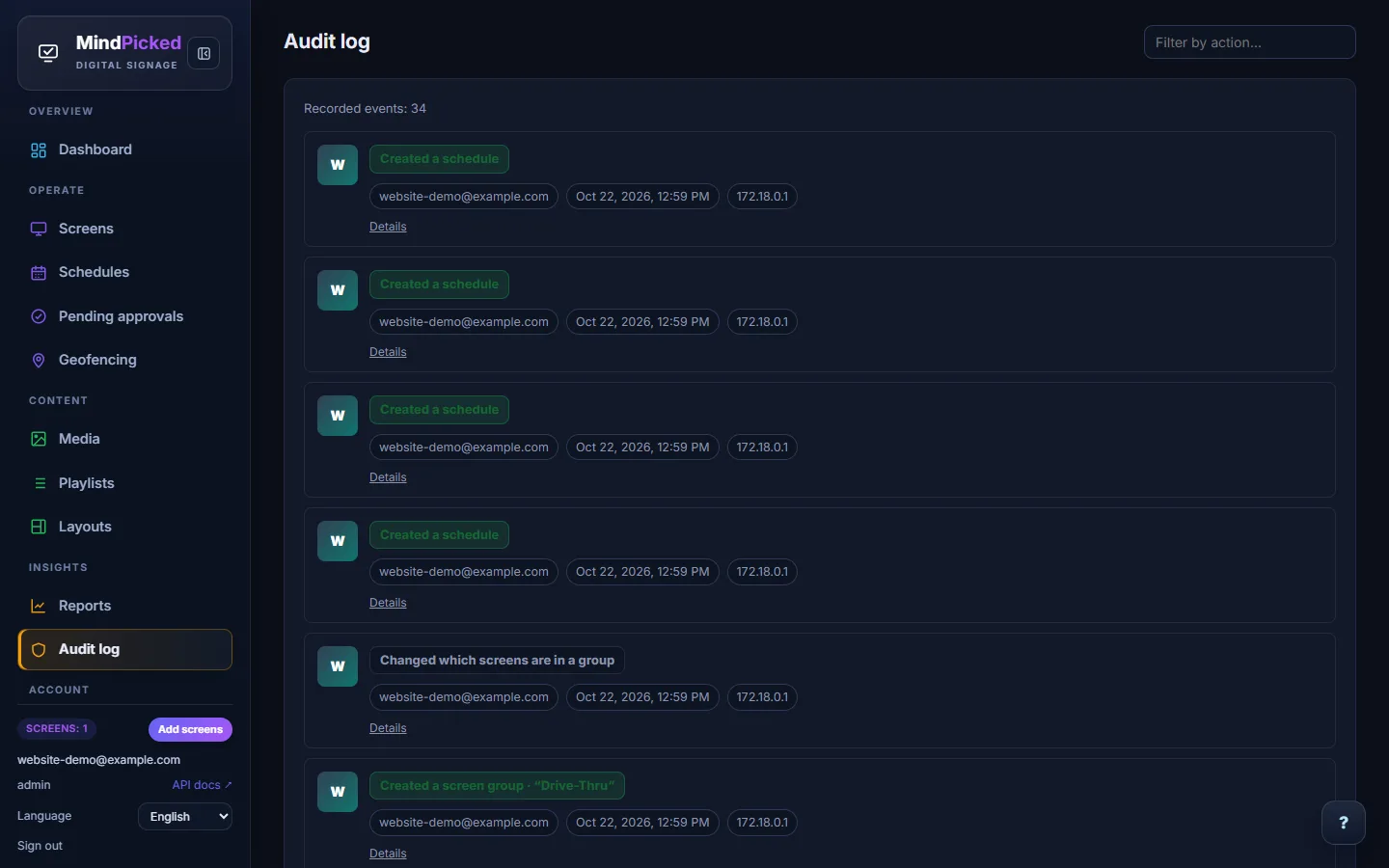
Every change reads as a plain sentence — “Created a screen group”, “Approved guest upload” — with who did it, when, and from where.
Refer another business. When they make their first payment, you both get a free screen-month on your next invoice.
₹499 per screen per month, every feature included. Change your screen count any time from the Billing page; GST invoices are generated automatically.
Real Screenshots
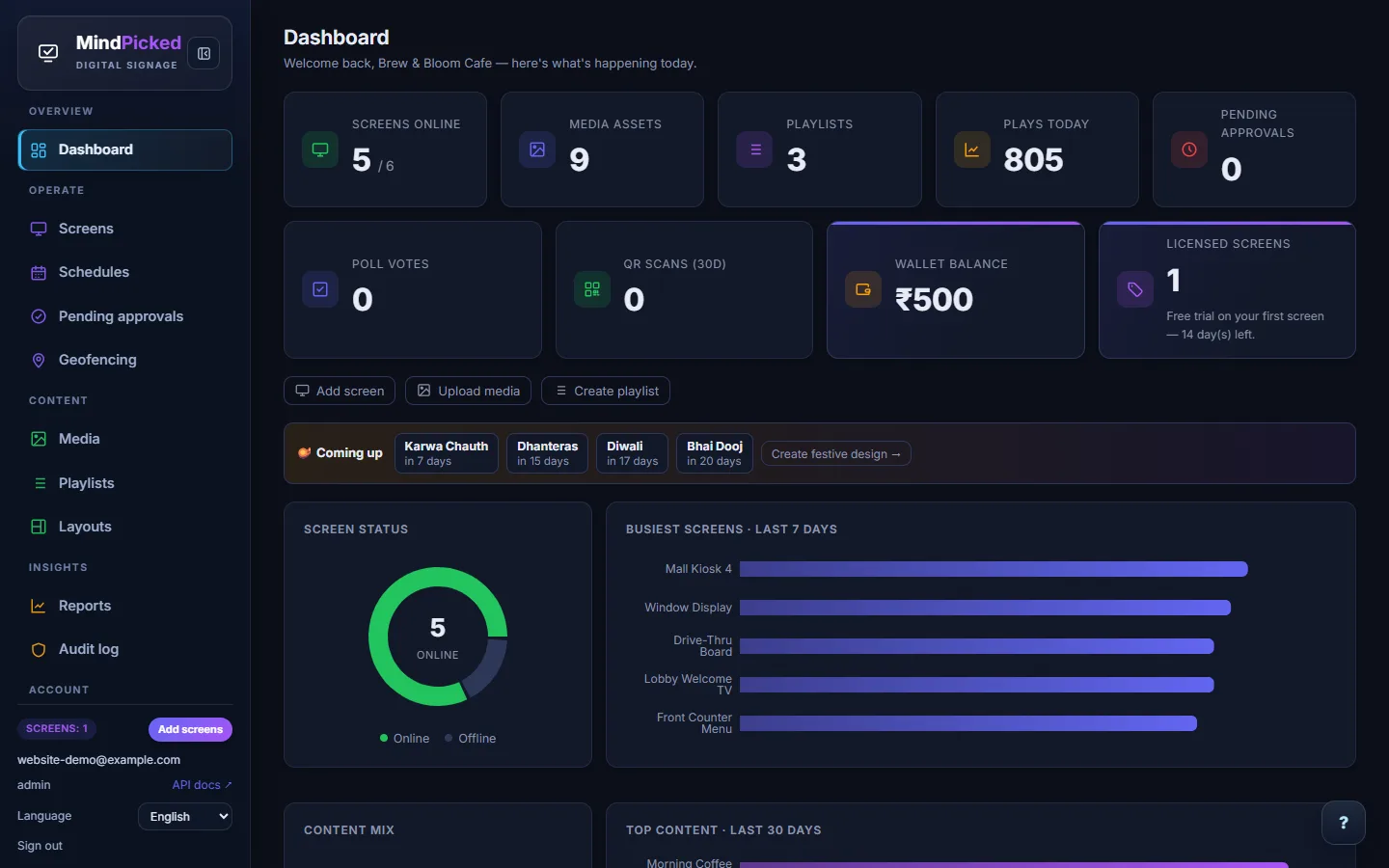
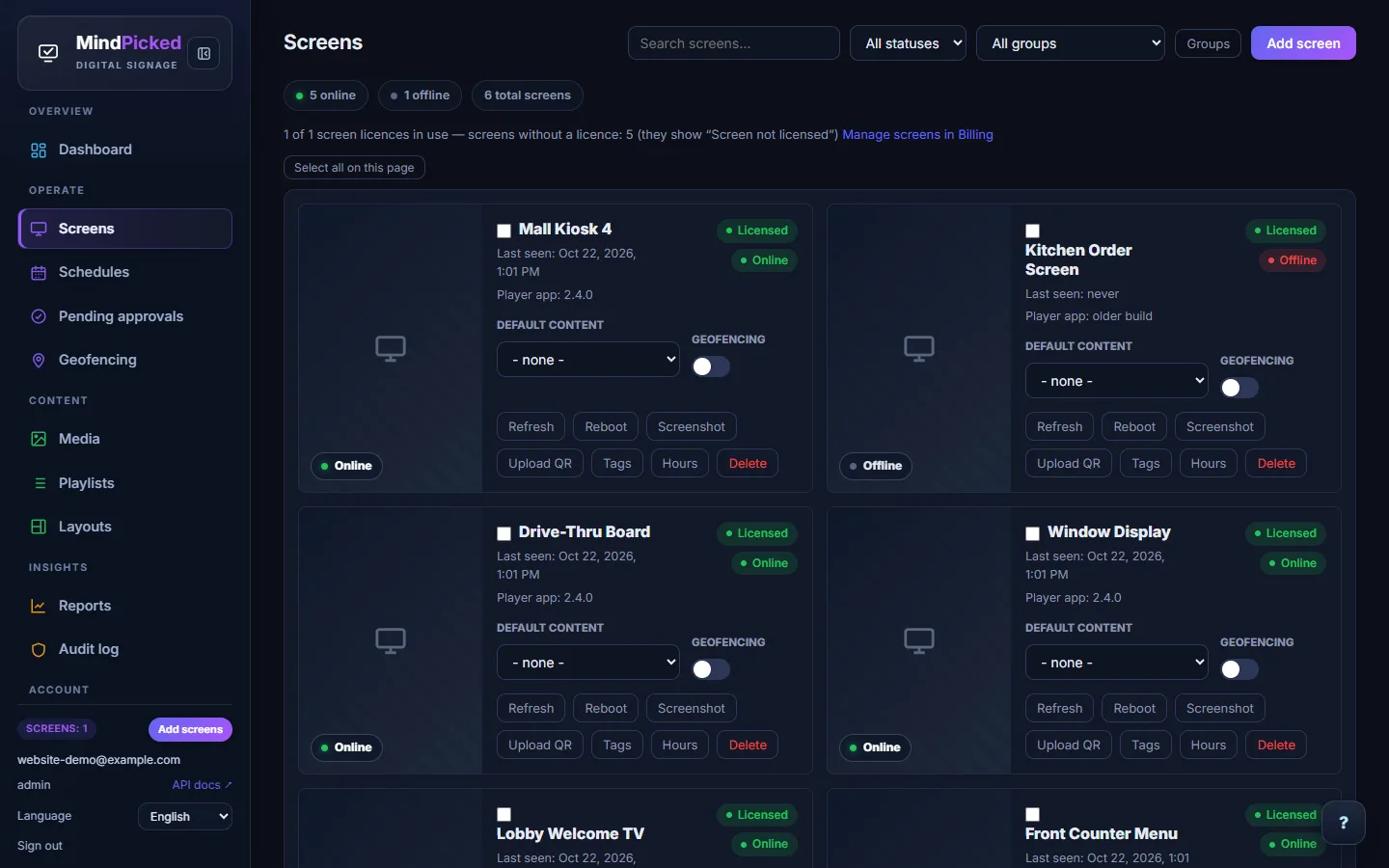
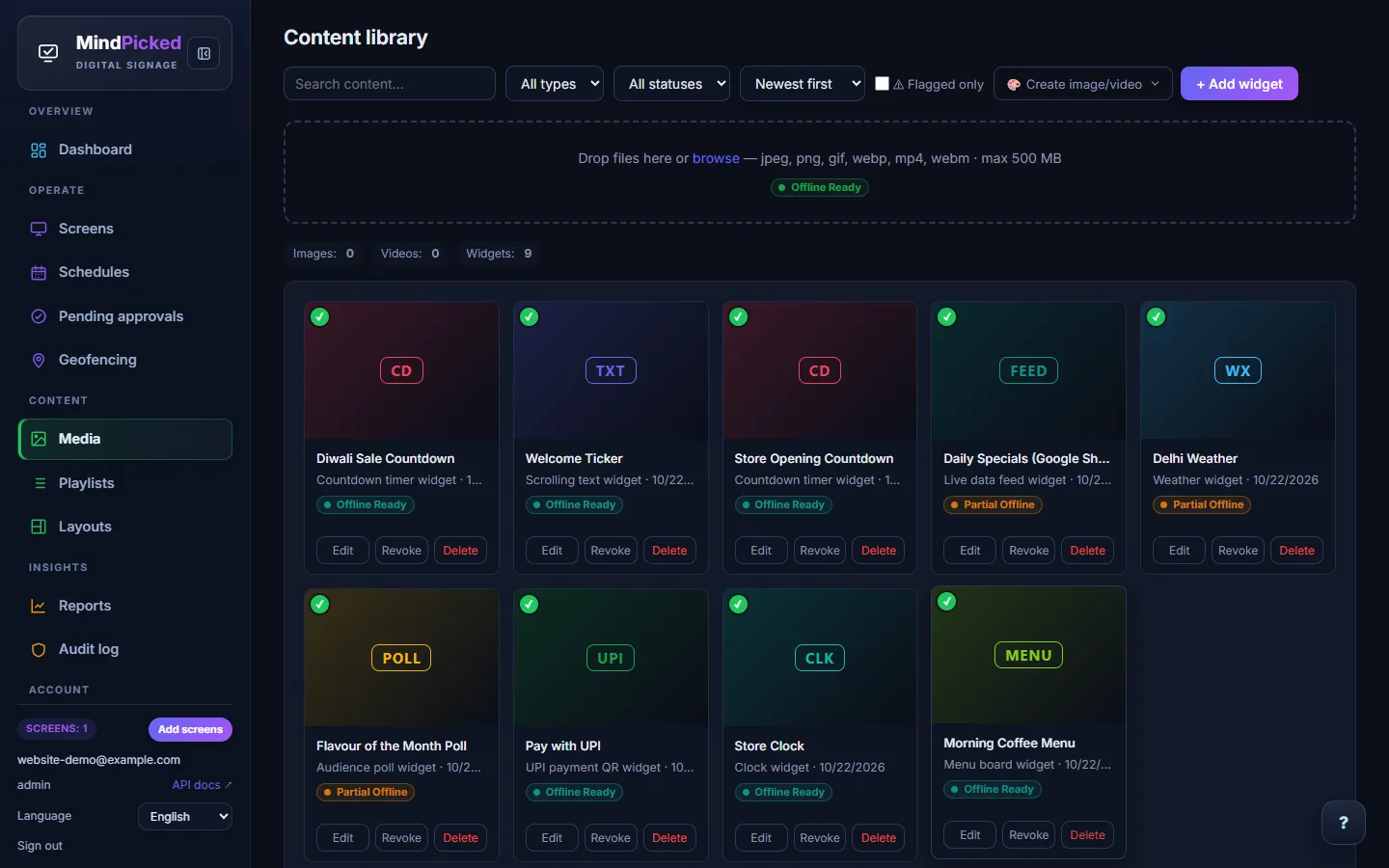
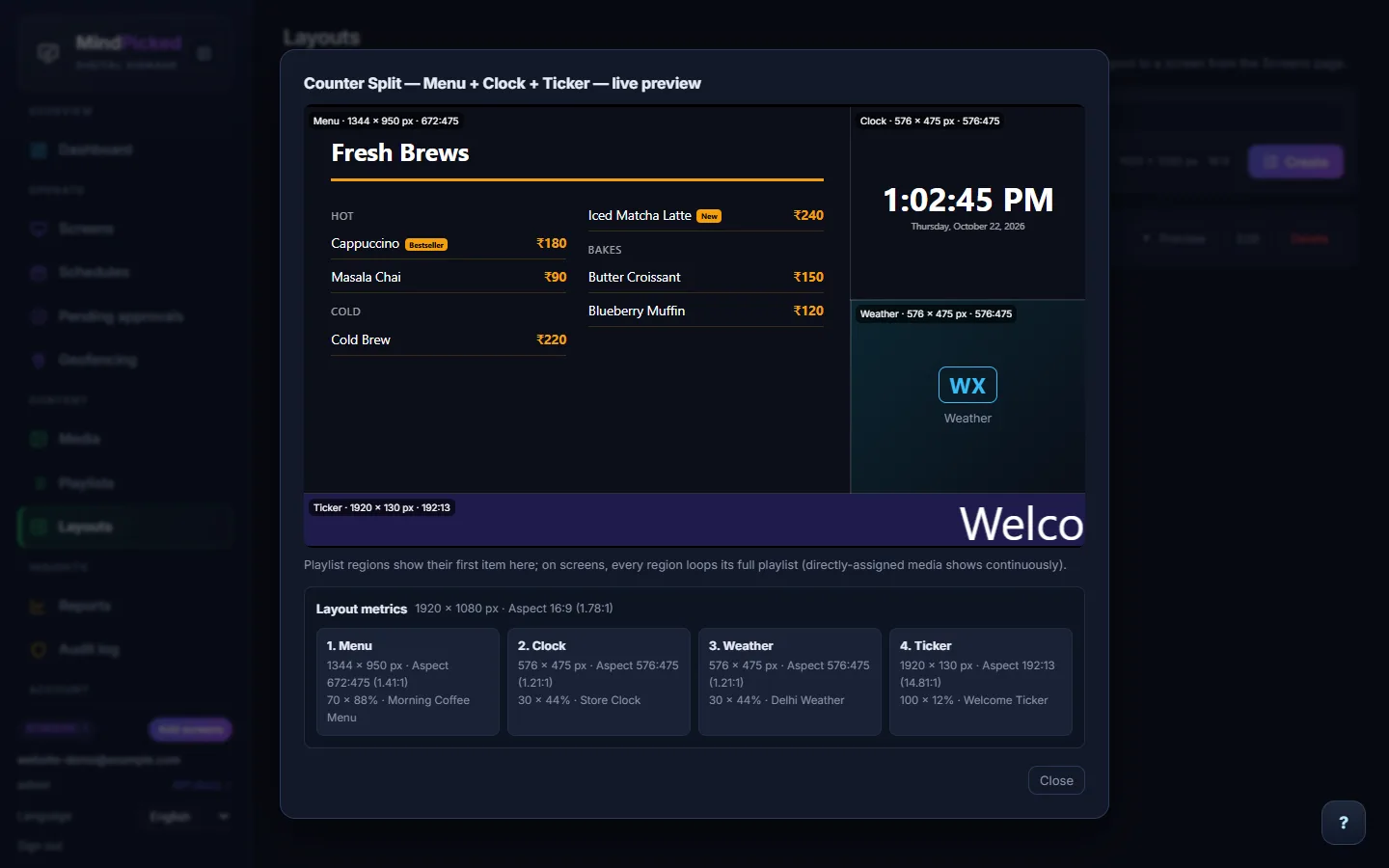
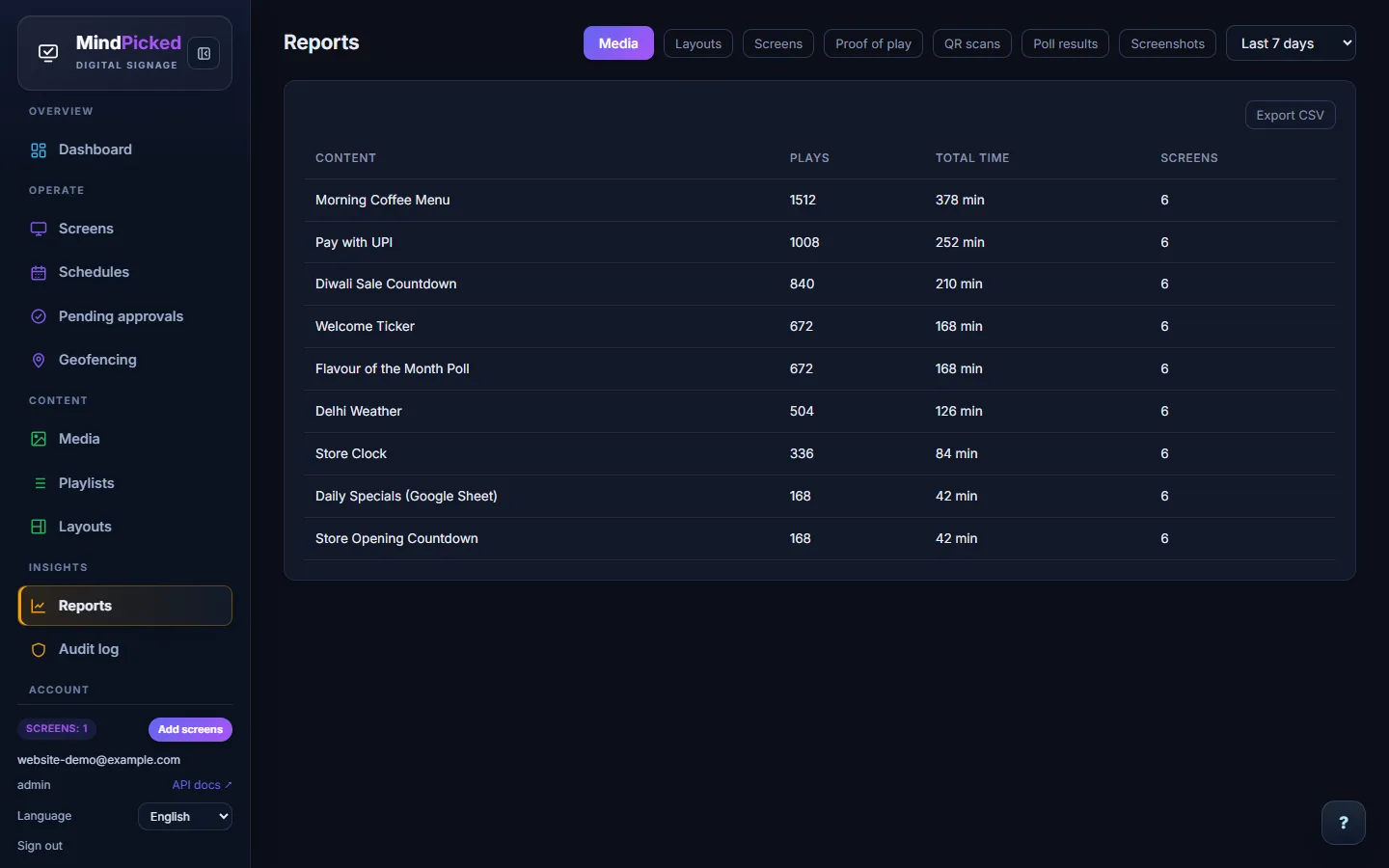
Unedited screenshots of the Mind Picked CMS, taken from a sample cafe account with six screens.
Platform
No add-ons, no hidden modules — this is the full platform your team gets access to.
The player caches its schedule and media locally, so playback continues on schedule through network drops and picks up updates the moment it reconnects.
Viewers scan a QR code and vote from their own phone — no app, no login — while results animate on screen in real time.
Every upload — guest wall photos and media library assets alike — is scanned locally for explicit imagery and profanity before it can go live. Flagged content is held for admin review instead of publishing automatically.
Describe what you need and generate on-brand images or short video clips right inside the media library — then drop the result straight into a playlist or widget.
Split a screen into independent zones and assign any widget to each region.
An active emergency notice always beats a normal schedule, which always beats the default playlist.
Power on the player and claim it with the code shown on the TV. No manual network setup.
Pull a live screenshot from any online screen to confirm exactly what's playing right now.
Guests scan a QR code, verify with a one-time code, and upload a photo for admin approval.
See what actually played, where, and when — plus device heartbeats in one view.
Give teammates exactly the permissions they need, with a full audit trail of every change.
One subscription priced per screen, with automatic GST invoices. Your account never locks — only unlicensed screens pause.
Vehicle-mounted and mobile screens automatically pause and resume as they cross zone boundaries, with a full route and event log.
CMS, guided product tour and on-screen widget content all localized — set a default language per tenant and push it straight to paired screens.
Add or list screens, upload and schedule media, pull a screenshot, or approve a guest wall photo — all from a WhatsApp chat, authenticated with your real login.
Ship it under your own brand — subdomain, logo and colors out of the box, with a verified custom domain for full white-label deployments.
Photograph a printed menu and OCR pre-fills the Menu Board widget's items and prices — no manual retyping.
Fleet Management
Claim a screen with the code shown on the TV, watch its heartbeat, and pull a live screenshot any time you want to confirm what's actually on the wall.
How It Works
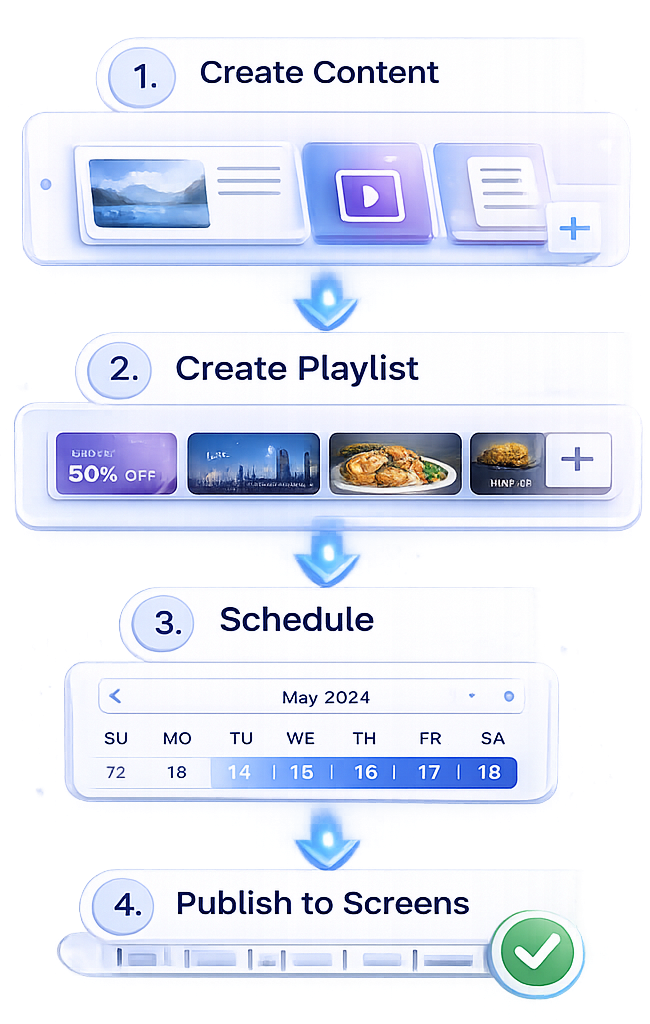
Build widgets, playlists and multi-region layouts from the built-in widget library.
Install the Android player, turn it on, and claim it with the 6-character code shown on screen.
Assign content with a priority and it's pushed to every paired screen in seconds.
Check fleet health, pull a live screenshot, or turn on a poll or guest wall.
Hardware
No proprietary boxes to buy. The player is a lightweight Android app.
Any standard Android-based signage box — install the app and pair in minutes.
Run the player directly on Android TV — no extra box needed.
A 6-character code on screen is all it takes to claim a new device — no manual network setup.
Industries
Promotions on a carousel widget, live pricing on a menu board, and store news over RSS.
Menu boards at the counter, a guest content wall in the lobby, and polls to keep guests engaged.
Lobby branding with custom HTML, live dashboards from Google Sheets, and clock/weather widgets.
Campus notices over RSS, multi-region layouts for schedules, and polls for student engagement.
Sponsor carousels, a live poll on the big screen, and a guest wall for attendee photos.
Your own logo, colours and subdomain, custom roles for your team, and a public API to automate client work.
About Us
We build Mind Picked for shops, restaurants, offices and campuses that need their screens to keep playing on ordinary internet, in their own language, at a price that makes sense per screen.
Help every business communicate visually and effectively.
One flat price per screen, with the same core product for a single shop or a large network.
Simplicity, reliability and honest pricing.
Pricing
No tiers, no locked features. Your account never locks — only screens without a licence pause until you renew.
Everything included
₹499 / screen / month
+ 18% GST · billed monthly · change your screen count any time
Free trial covers 1 screen · ₹500 welcome credit for Studio & AI
Only rendering and AI cost extra. You see the price before every charge, and failed renders are refunded.
Custom
For networks of 100+ screens, agencies and resellers
Refer another business — when they make their first payment, you both get a free screen-month.
FAQ
₹499 per screen per month plus 18% GST, with every feature included. You can change the number of screens any time from the Billing page. Only Studio renders and AI generation are charged separately, from a prepaid wallet — new accounts get ₹500 of welcome credit.
Yes — 14 days on one screen, with every feature switched on. If you don't subscribe, your account and content stay; the screen simply shows a renewal notice until a licence covers it again.
The Android player caches its schedule, images, videos and most widgets locally, so playback continues on schedule. Widgets that show live data from the internet — such as weather, web pages or data feeds — need a connection to refresh; the content library marks each item “Offline Ready” or “Partial Offline” so you know in advance. Once connectivity returns, the player syncs anything it missed automatically.
No. The player app runs on standard Android media players and smart TVs. Pairing is a 6-character code shown on screen — no manual network setup.
Over the air. New player versions roll out in stages (for example 5%, then 25%, then everyone), are checksum-verified before installing, and a release that crashes is paused across the fleet automatically.
Yes. Set weekly operating hours and holidays per screen or per group. Outside those hours the screen goes dark and dims its backlight, then wakes at opening time on its own.
Yes. Create read-only or publish API keys under Settings → Developers, and add signed webhooks for events like a screen going offline or a licence about to expire. A UPI widget can also show an exact-amount payment QR sent from your billing counter.
A guest scans a QR code, verifies with a one-time code, and uploads a photo. Your team reviews and approves each submission — with a chosen play duration — before it appears on screen.
Yes. Viewers scan a QR code with their phone camera and vote anonymously in a browser — no login, no OTP — and results update on screen in real time.
Yes. Pull a live screenshot from any online screen straight from the dashboard, alongside its heartbeat and connection status.
Yes. Every upload is scanned automatically for explicit imagery and profanity before it can go live. Anything flagged is held for admin review instead of publishing automatically — this applies to guest wall submissions and media library uploads alike.
Yes. The media library includes AI generation — describe what you need and get an on-brand image or short video clip you can drop straight into a playlist or widget.
Yes. The CMS, the guided product tour and on-screen widget content are all available in 14 languages, including full right-to-left support for Arabic. Set a default language per account and it's pushed straight to your paired screens.
Yes. The WhatsApp bot lets you add or list screens, upload and schedule media, pull a live screenshot, or approve a guest wall photo directly from a chat — authenticated with your real account login.
Contact
Book a demo, start a free trial or ask us anything. Tell us about your screens and we'll reply within one business day.